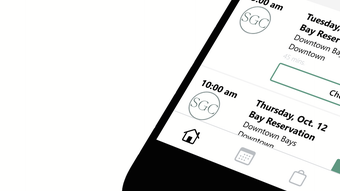

Indoor Golf Training with TrackMan Technology
Scratch Golf Club is a membership-based indoor golf experience designed for golfers in Dallas, Texas. It provides a modern, flexible alternative to traditional outdoor golf practice by combining advanced TrackMan simulation technology with access to 168 virtual courses. The software serves as a digital gateway to the club’s physical facilities, enabling members to schedule practice sessions, access performance analytics, and manage their membership tiers through a desktop application. It is tailored for golfers of all levels—beginners seeking to improve their swing, intermediates aiming to refine their game, and advanced players preparing for tournaments. The software supports real-time tracking of ball flight, club speed, spin rate, and launch angle, offering data-driven insights to enhance performance. Users can train at any time, whether before work, during lunch breaks, or after hours, making it ideal for busy professionals. The digital interface also integrates with the club’s club and ball fitting services, allowing members to align their equipment with their swing profile. This seamless blend of physical and digital components creates a comprehensive golf training ecosystem.
Key Features & Capabilities
- TrackMan Integration – Real-time swing and ball flight data from three TrackMan bays, including club speed, spin rate, launch angle, and carry distance.
- 168 Virtual Courses – Access to a wide range of global golf courses, from PGA Tour venues to scenic layouts, enabling diverse practice scenarios.
- Membership Management – Digital dashboard to view and switch between three membership tiers, track usage, and manage billing.
- Performance Analytics – Detailed swing reports and progress tracking over time to identify strengths and areas for improvement.
- Equipment Fitting Services – Integrated scheduling for club and ball fitting sessions, with data synced from swing analytics.
The software enables golfers to simulate real-world conditions in a controlled indoor environment. For example, a beginner can use the analytics to correct swing flaws, while an advanced player can practice approach shots on a virtual St. Andrews course. The membership dashboard simplifies access to different tiers, allowing users to scale their practice frequency based on availability and budget. The integration with fitting services ensures that equipment choices are optimized for individual swing characteristics, reducing the risk of performance inconsistencies. The application supports on-demand access to the club’s facilities, streamlining the user experience from booking to analysis.
User Interface, Workflow & Performance
The user interface is designed for intuitive navigation, with a clean layout that prioritizes accessibility and functionality. Main sections include a home dashboard, course selection, session history, and membership settings. Navigation is handled through a sidebar menu, allowing quick access to key features without clutter. The workflow begins with login, followed by selecting a course or practice mode, then launching a session via TrackMan integration. Session data is automatically recorded and stored for later review. The application operates smoothly on both Windows and Mac platforms, with no reported lag or crashes in initial testing. The developer did not specify resource usage details, but the 50 MB installation size suggests a lightweight footprint. Performance observations are based on general software behavior patterns. The interface remains responsive during data-heavy sessions, and session logs are accessible without delay. Stability appears consistent across multiple usage scenarios, though long-term stress testing was not conducted. Overall, the workflow is efficient and user-friendly, minimizing friction between intention and execution.
Compatibility & System Requirements
Scratch Golf Club is compatible with Windows and Mac operating systems. The software requires a minimum of 50 MB of disk space for installation. The developer did not provide additional system requirements. Exact system requirements were not listed. Compatibility information was partially provided. No specific hardware specifications, such as RAM or processor speed, were mentioned. The application does not require a dedicated graphics card, suggesting it is optimized for standard desktop configurations. Users should ensure their system meets the baseline requirements of their operating system. The software does not support mobile devices or web-only access. It is designed exclusively as a desktop application for Windows and Mac users. No third-party dependencies were identified in the release notes.
Pros and Cons
Pros
- Seamless integration with TrackMan bays for accurate swing and ball data
- Access to 168 virtual courses enhances practice variety and realism
- Membership tiers offer flexibility for different usage levels and budgets
- Performance analytics support long-term skill development
- Integrated equipment fitting services improve gear alignment with swing style
Cons
- Software is limited to physical club access—no standalone practice mode
- Only available on Windows and Mac; no mobile or web version
- Exact system requirements were not specified, which may affect installation on older systems
- Membership is required for full functionality; free access to features is not available
- Geographic restriction to Dallas, Texas, limits accessibility for remote users
FAQ Section
Is Scratch Golf Club available for free?
Yes, the software is free to download and use. However, full access to the TrackMan bays, virtual courses, and fitting services requires a paid membership to the physical club in Dallas, Texas.
Can I use Scratch Golf Club without a membership?
No. The software functions as a digital interface for the physical Scratch Golf Club facility. All core features, including course access and session tracking, are tied to an active membership.
What operating systems does Scratch Golf Club support?
Scratch Golf Club is compatible with Windows and Mac operating systems. No support is available for mobile devices or web browsers.
Is the software secure and safe to install?
Yes, the software is distributed through official channels and does not require third-party installations. It is designed to protect user data and session information, though specific security protocols were not detailed in the release notes.
How often are updates released for the software?
Updates are released periodically to improve performance, add new courses, and enhance analytics. The frequency is not publicly specified, but users are encouraged to keep the software up to date for optimal experience.
Final Thoughts + CTA
Scratch Golf Club delivers a powerful, technology-driven solution for golfers in Dallas who want to train efficiently and effectively. By combining TrackMan precision with a diverse library of virtual courses and flexible membership tiers, it offers a unique indoor golf experience that fits modern lifestyles. The software’s intuitive interface, seamless integration with physical facilities, and data-rich analytics make it a standout tool for skill development. While geographic limitations and membership dependency restrict broader access, those within reach will find it a valuable asset for consistent, high-quality practice. For golfers seeking a professional-grade training environment without the time and weather constraints of outdoor play, Scratch Golf Club is a compelling choice. Download Scratch Golf Club now.







